
Everything you can do with vRRR
Real-world route video, live data from your sensors, and the training tools to make every run or ride count.
Overview
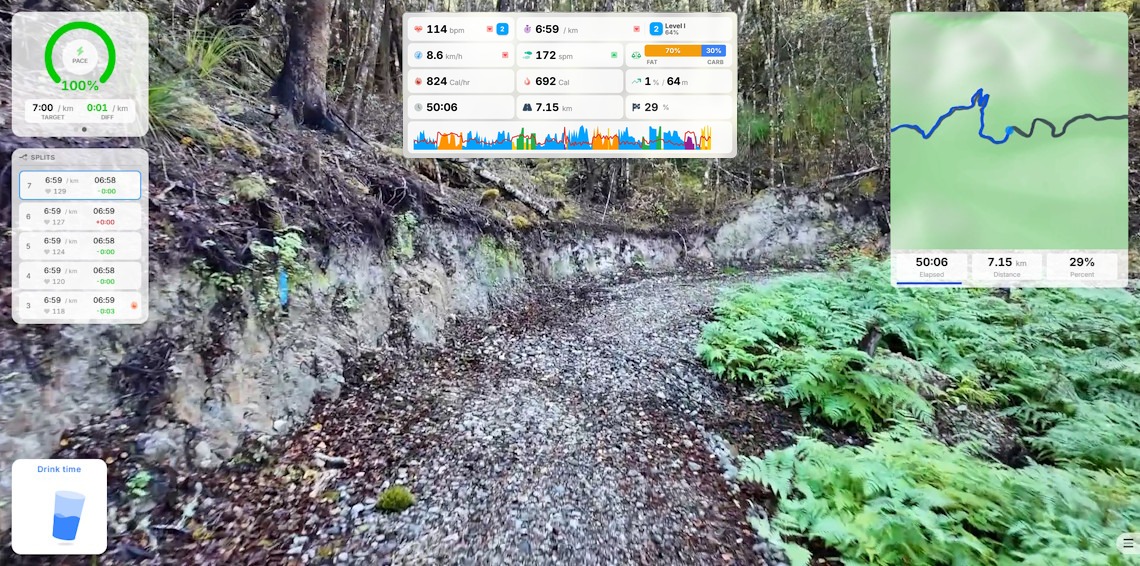
Your whole session, on one screen
vRRR plays real-world route video and lays your live numbers over it: your metrics, the road ahead, your targets and your splits. Everything you need is in view, and nothing you don't.
- Real routes, filmed by runners and cyclists
- The video speeds up and slows down with you
- Runs on a treadmill and rides on a smart trainer
Works in your browser
No app to install
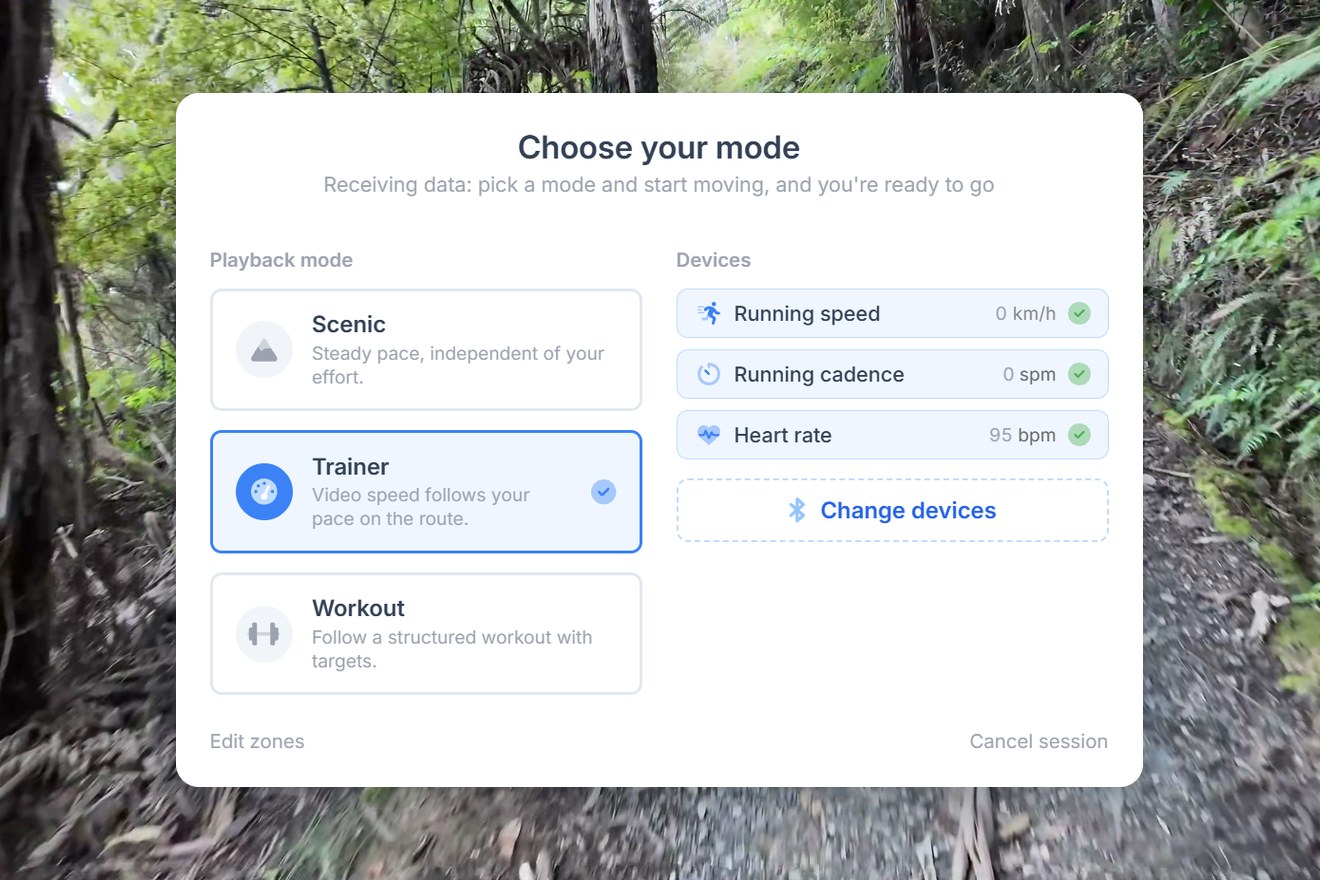
vRRR runs in Chrome or Edge on your computer. Pair your sensors over Bluetooth straight from the browser and you're training in a couple of minutes, with nothing to download.
- Heart rate monitors, power meters, cadence and speed sensors
- Smart trainers and treadmills that support Bluetooth FTMS
- Reconnects by itself if a sensor drops out
- Video quality adapts to your connection
Real-time data
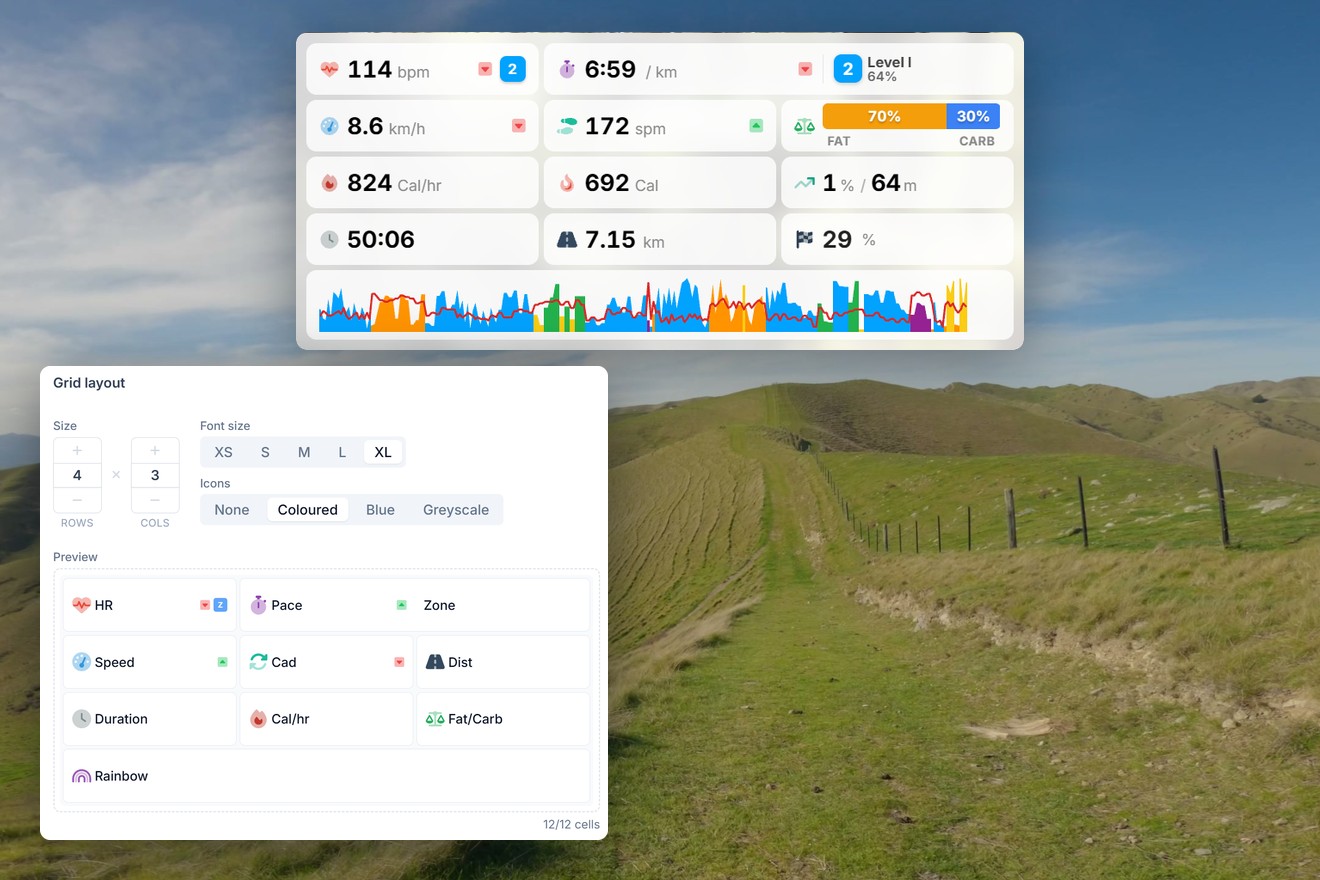
A heads-up display, built your way
Choose the numbers you want to see, from pace and power to heart rate, cadence and zones, then size and arrange them however you like. Set it up once and just train.
- Separate layouts for riding and running
- Heart rate, power and pace zones in colour
- A live chart of your effort across the session
Smart features
Get more from every workout
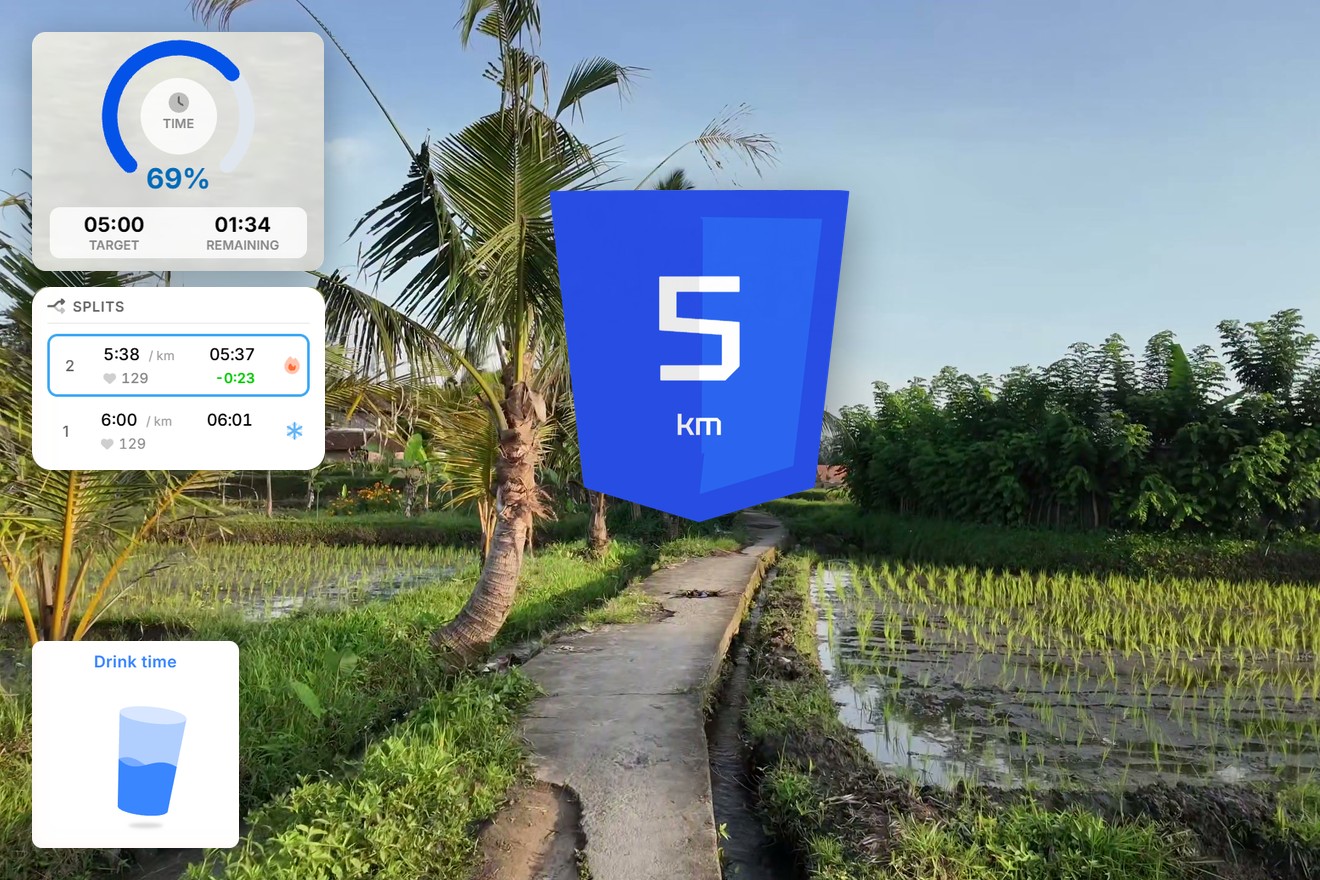
vRRR takes care of the details so you can stay focused on the session. It keeps your splits, reminds you to drink and counts you down to your goal.
- Automatic splits and lap times
- Hydration reminders
- Time and distance targets, with a live countdown
- A milestone at every kilometre
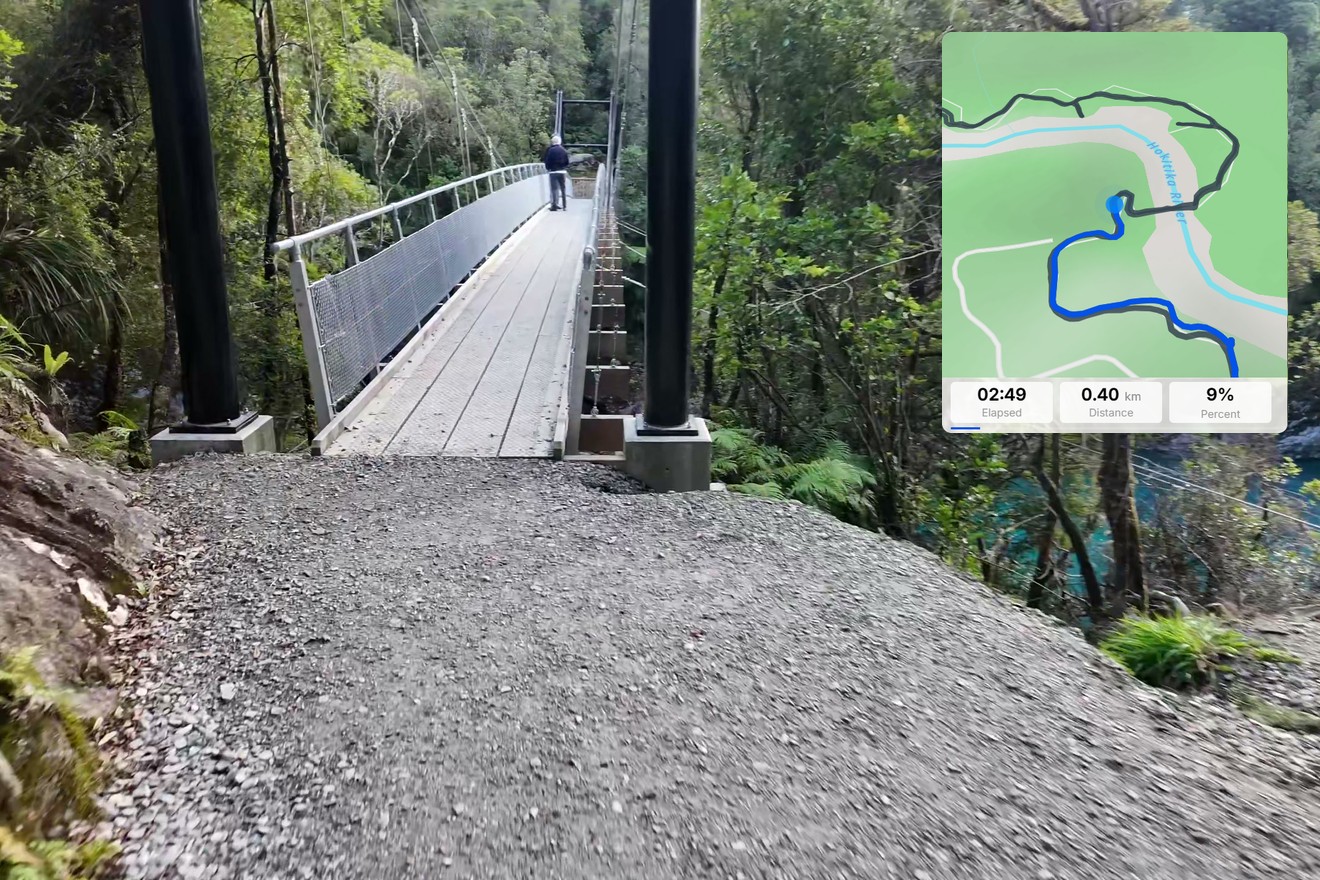
Route preview
Always know the road ahead
A live mini-map follows your position and shows the route coming up, so you can pace the climbs and open up on the flats.
- Turns with you, so the road ahead is always up
- Time, distance and gradient at a glance
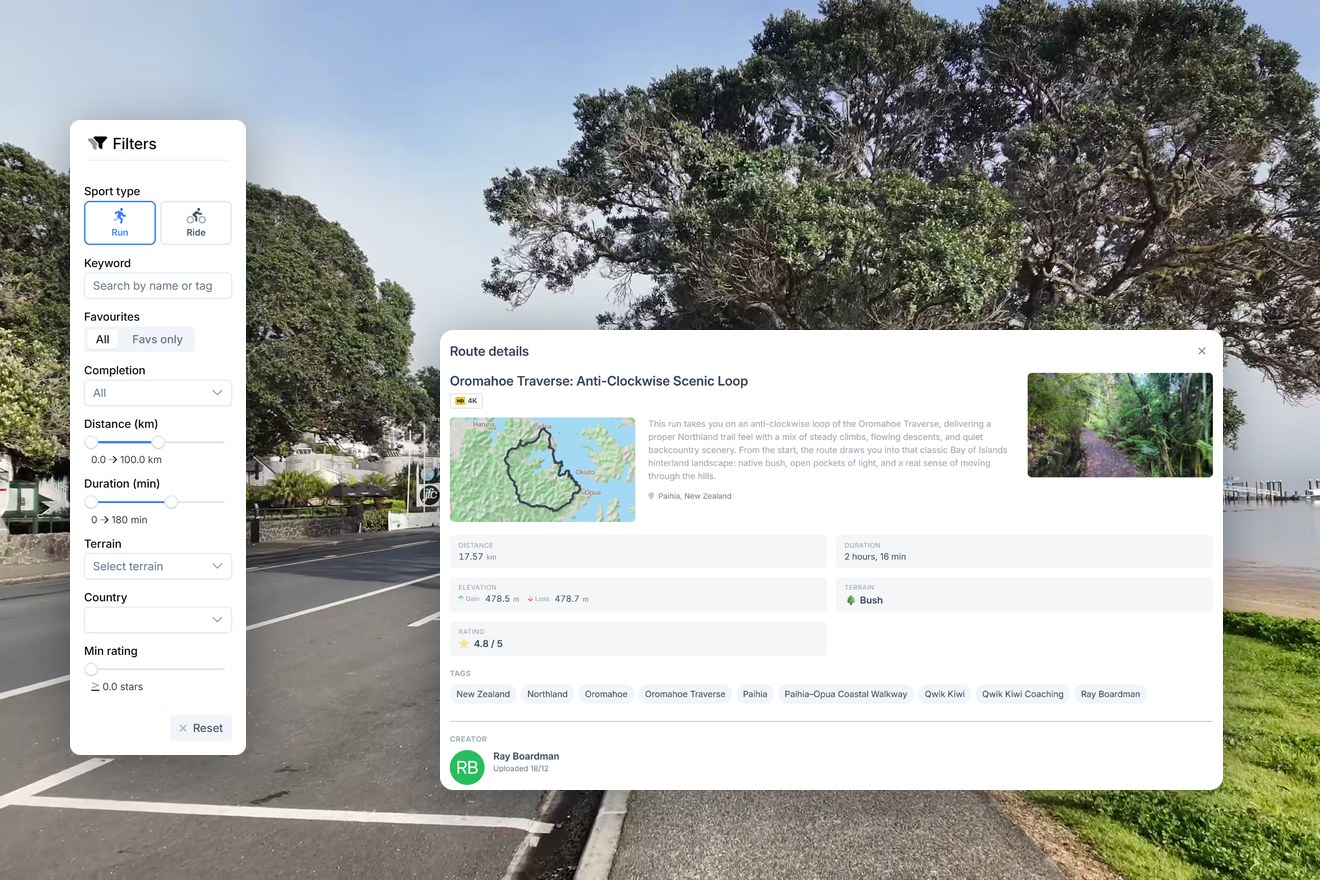
Route library
Find your next route
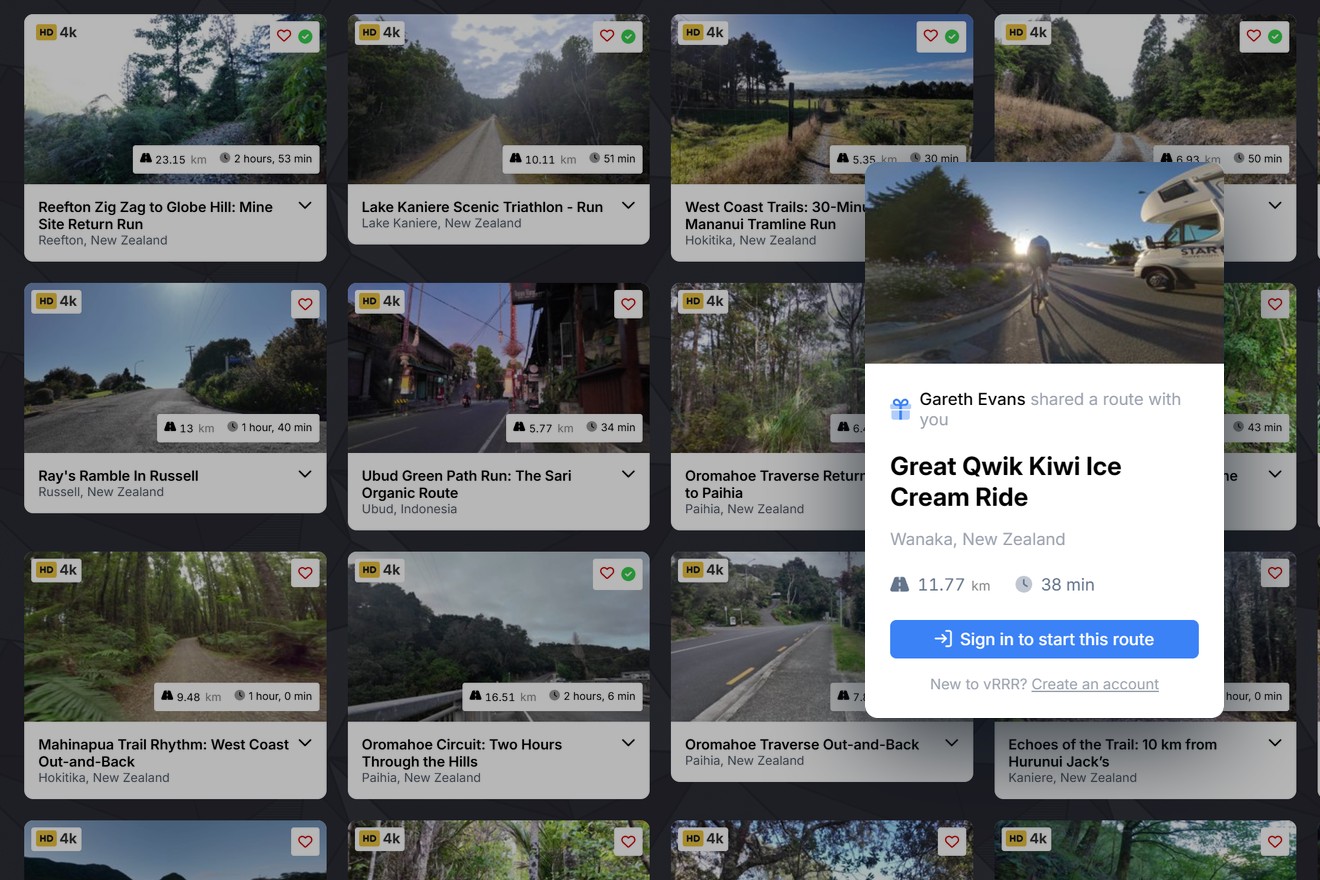
Browse real routes from around the world, filmed in up to 4K for running and cycling. Before you start, see the map, distance, elevation and terrain, and find out who filmed it.
- Filter by distance, duration, terrain and country
- Save your favourites
- Creator profiles
- Share a route with a link
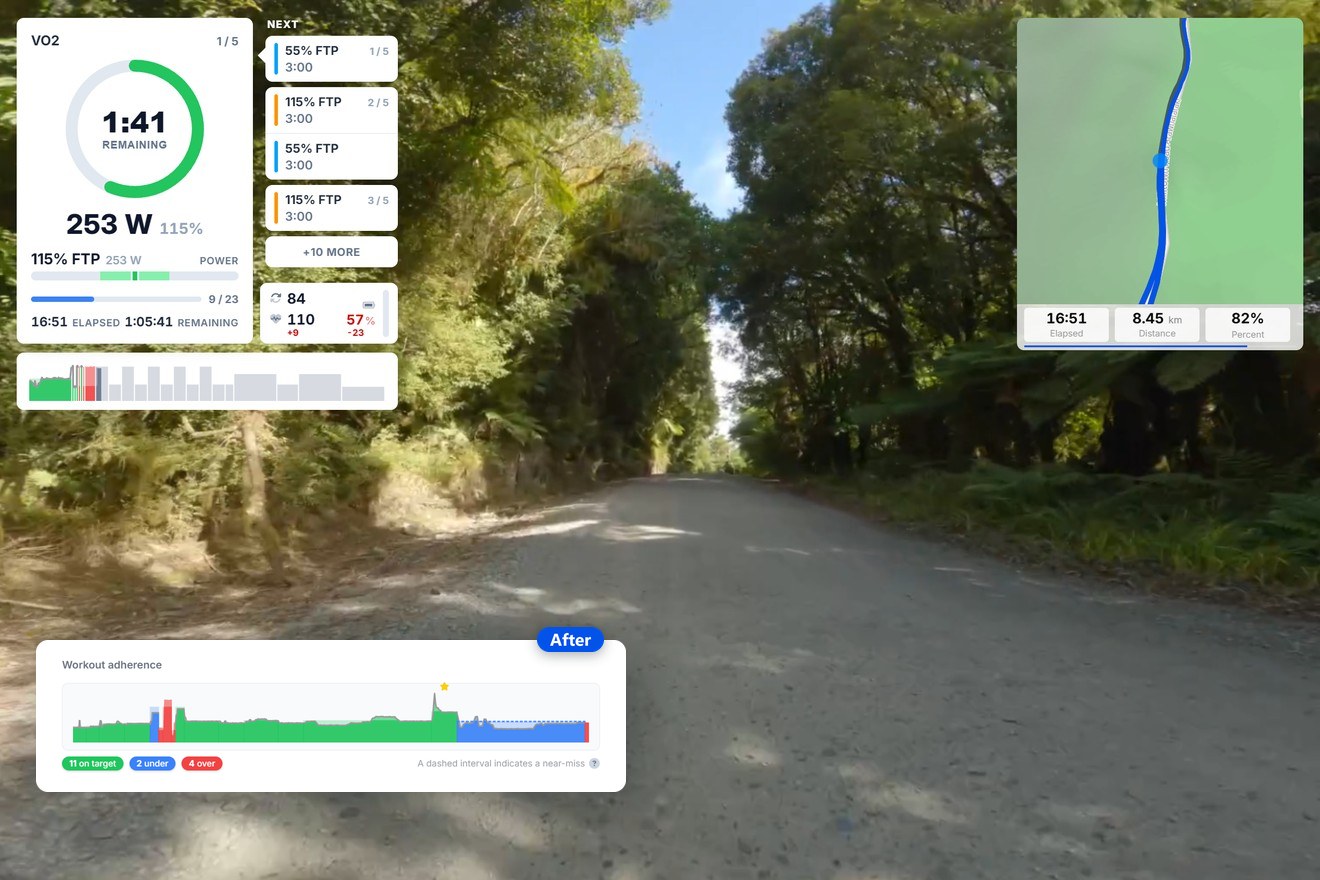
Structured workouts
Train to a plan, on a real route
Follow intervals at power, pace or heart-rate targets while the route plays. Pick a workout from the library, or play one planned in TrainingPeaks or Intervals.icu.
- Scale a workout to your zones, and nudge the intensity as you go
- Countdown beeps and a preview of the next step
- vRRR can drive your smart trainer or treadmill, or you set the pace
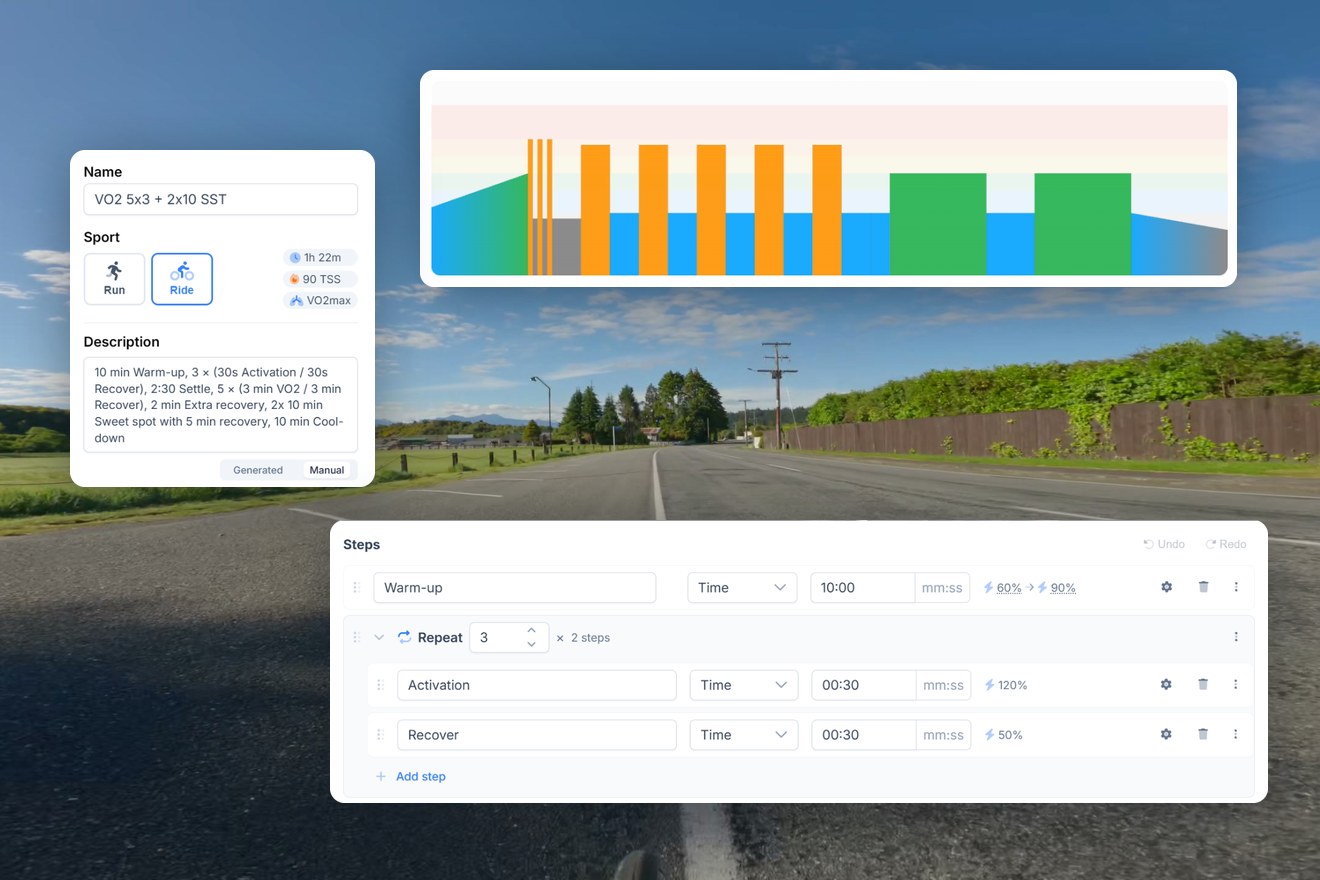
Workout builder
Build your own workouts
Lay out a session step by step with drag and drop, or shape it directly on the profile graph. Write your own description, or let us generate one for you.
- Repeats and ramps
- Import and export .zwo files
- Share a workout with a link
- Public workouts from other members
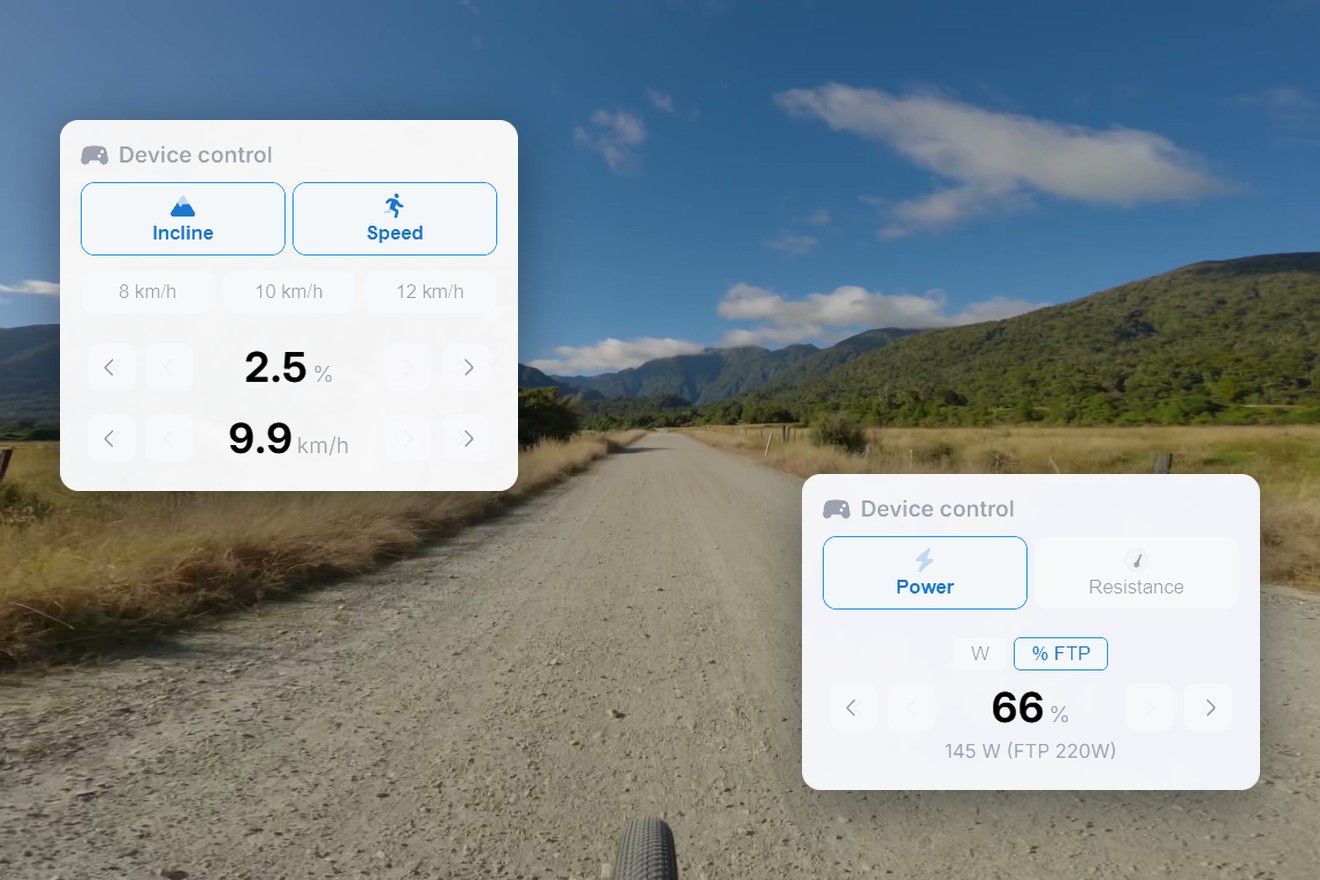
Device control
Your smart trainer and treadmill, set from vRRR
Set power or resistance on a smart trainer, or speed and incline on a treadmill, with quick presets and gentle ramping. Adjust your treadmill on its console instead and vRRR follows along.
- Power or resistance on a smart trainer
- Speed and incline on a treadmill
- Bluetooth FTMS trainers and treadmills, and Kingsmith treadmills
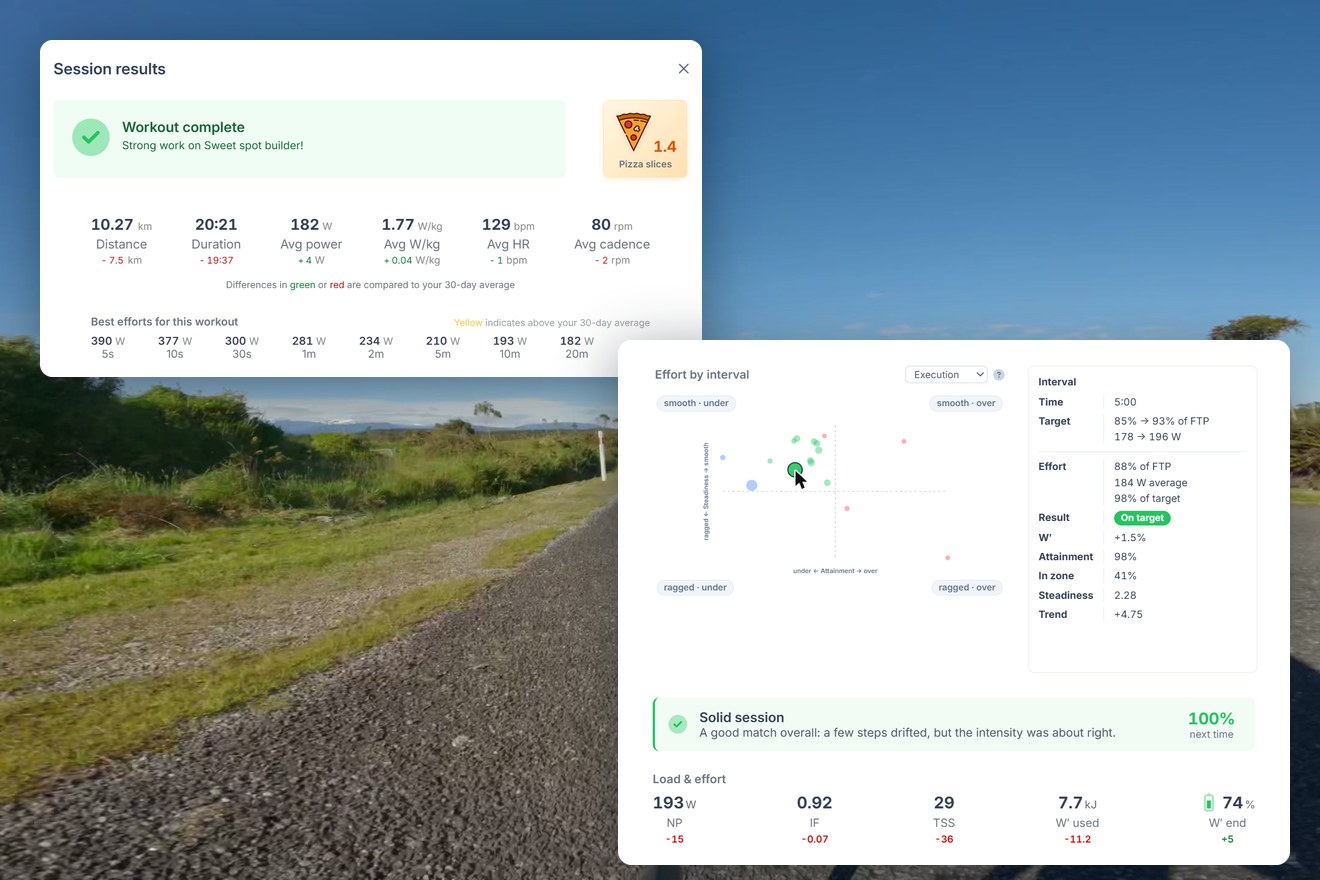
Results and training load
See how every session went
When you finish, vRRR breaks the session down: how closely you hit each interval, your best efforts, and coaching notes on what to work on. Training load and intensity show how hard it really was.
- Results for every interval, against its target
- Training load and intensity for every ride and run
- W′ balance across the session
- Download your results as an image
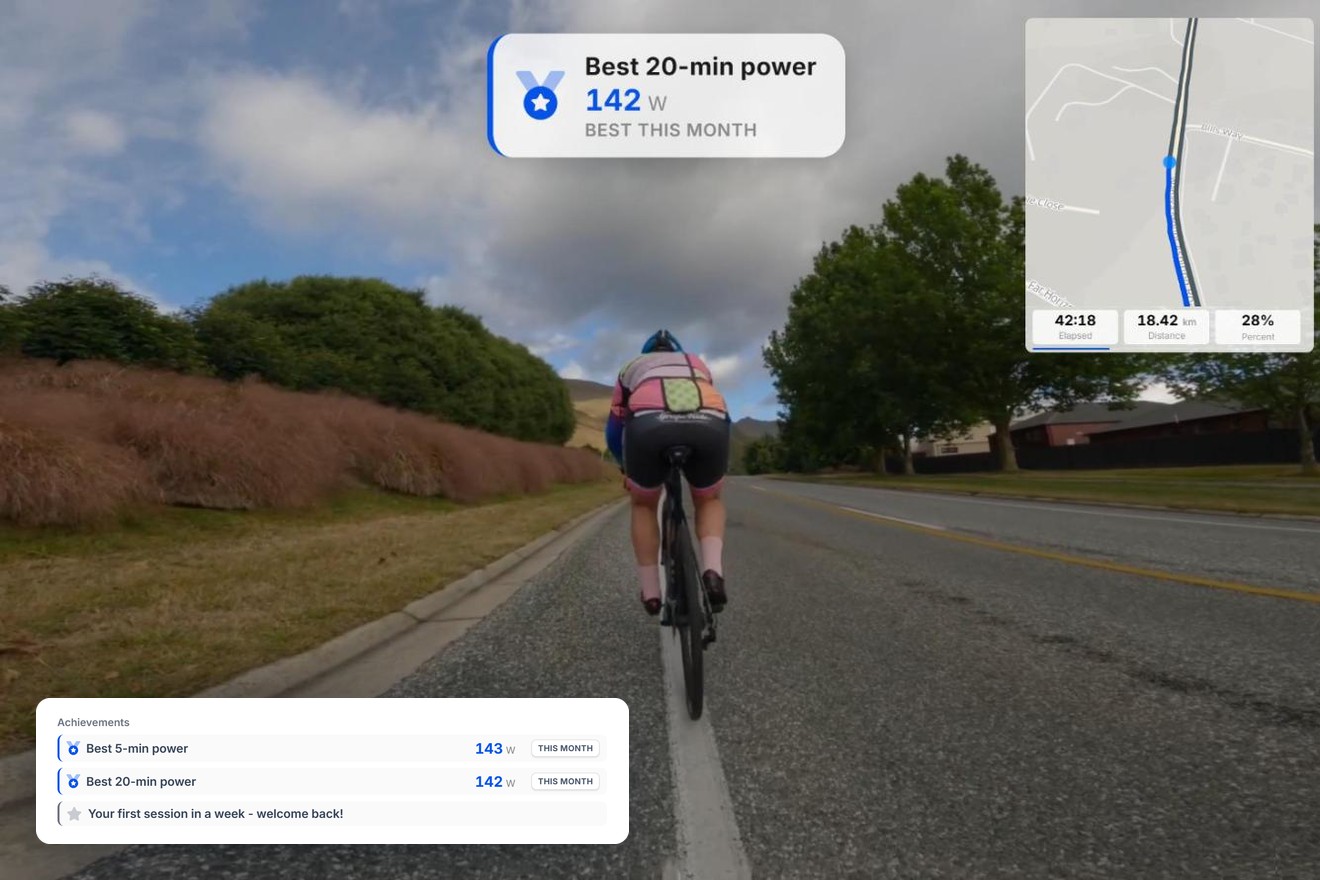
Personal bests
Know the moment you beat your best
Beat your best 20-minute power, your fastest 5 km or your longest run and vRRR tells you there and then, not after you've cooled down. At the end you'll see every record you beat that session.
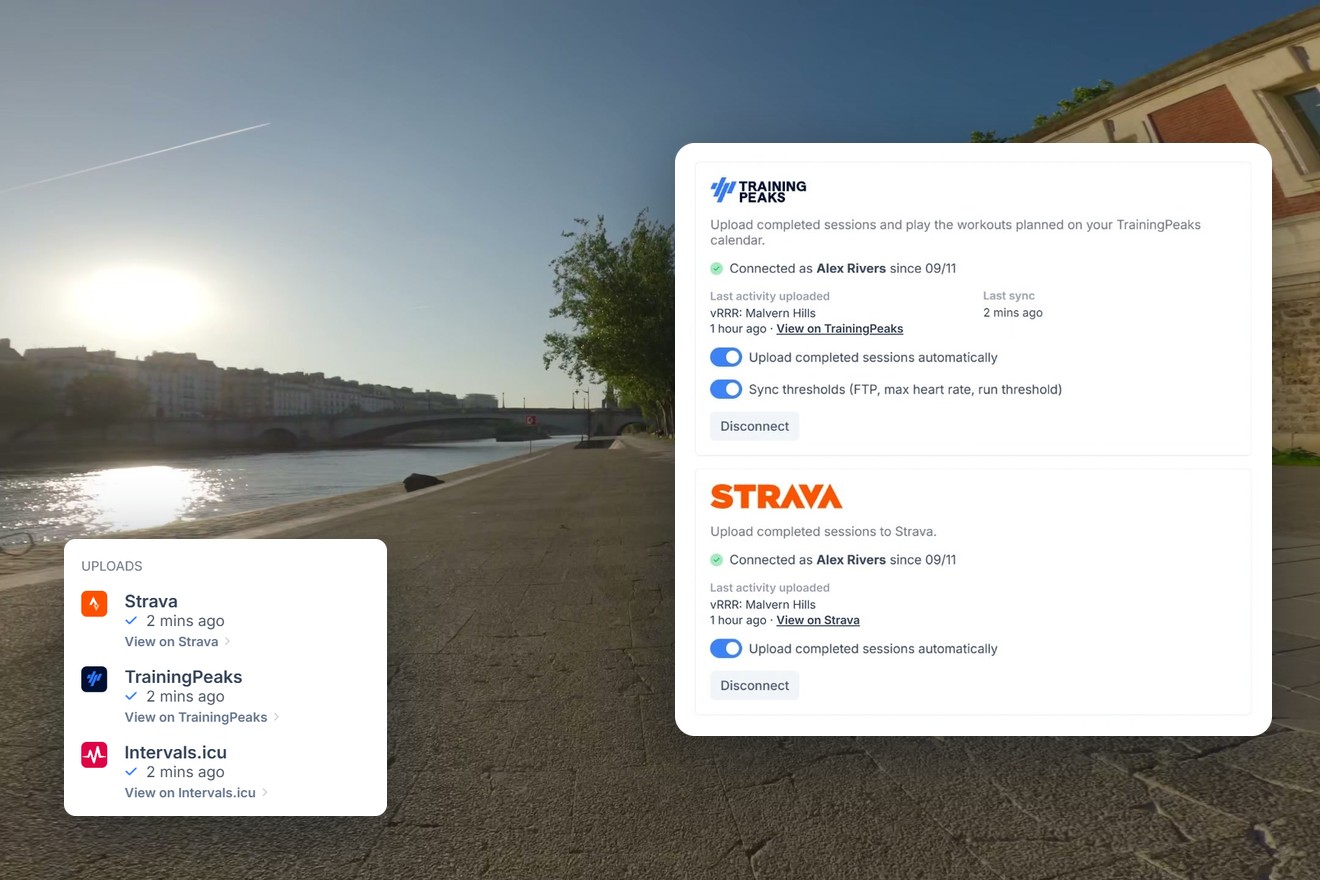
Connected platforms
Your sessions, straight to Strava, TrainingPeaks and Intervals.icu
Connect your accounts once and every session uploads automatically, or whenever you choose. No more downloading FIT files and uploading them by hand.
- Play workouts planned in TrainingPeaks and Intervals.icu
- Keep your FTP and thresholds in sync
- Download a FIT file of any session
Community routes
Captured by runners and cyclists like you
Every route is filmed and uploaded by the vRRR community. Share your favourite local roads and trails, and earn a share of subscription revenue whenever people train on them.
Become a route creatorReady to start?
Start a free trial and train on your first real route today.
Start your 28-day free trialFull access for 28 days. No credit card needed.